• Home
  • About Tracy
  • Contact Me

Using Time Wisely

Organized to save money, energy, and time

  • Email
  • Facebook
  • Pinterest
  • RSS
  • Twitter
  • YouTube
  • Document Organization
    • Overview
    • Box 1
      • Credit Report/Cards
        • Credit Reports
          • Credit Updates
          • Credit Scores
        • Credit Cards
      • Personal
      • Home Ownership
      • Vehicles
    • Box 2
      • Life Insurance
      • Major Medical
      • Tax-Favored Programs
      • Prescriptions
      • Dental & Vision
      • Special Health Policies
      • Short-term Disability
      • Long-term Disability
      • Personal Insurance
    • Box 3
      • Social Security Documents
      • Retirement
      • Investments
      • Estate Planning
      • Tax Records
  • Household
    • Cleaning
    • Maintaining
    • Organizing
    • Scheduling
      • Laundry
  • Event Planning
    • Assisting
    • Attending
    • Coordinating
      • Birthday Party
      • Christmas
      • Dinner Party
      • Fall Festival
      • Field Trip
      • Lemonade Stand
      • Thanksgiving
    • Learning
    • Preparing
    • Serving
  • Miscellaneous
    • Communication
      • Customer Service
      • E-mail
      • RSS Feed Reader
    • Goals
    • Organization
    • Time Management
      • To Do List
  • Food
    • Food Prep
    • Grocery Shopping
      • Lists
      • Pricing
    • Menu Planning
    • Recipes
    • Stockpile
  • Family Activities
    • Going Out
      • Free Outings
      • Inexpensive Outings
      • Summer
    • Rewards
      • Good Grades
      • Reading
      • Summer Reading
    • Staying at Home
  • Stretching Your Dollars
    • Daily Deals
      • Groupon
      • LivingSocial
    • Drugstores
      • CVS
    • Gas Prices
    • Gifts
    • On-line Shopping
    • Pictures
    • Products
    • Restaurants
    • School Items
    • Tips
You are here: Home / Archives for Household / Maintaining

Planning for Success: Check Light Bulbs and Air Filters – Day 21

January 21, 2013 by Tracy

Planning for success - Day 21

Photograph Credit: iStockphoto

Knowing that a successful year will not materialize on its own, we must plan and prepare for a prosperous 2013.

Throughout the 31 days of January, I will choose one topic each day to prepare or schedule for this year.

Without preparation, I know I will forget, miss, or overlook certain items. If you desire an organized year, then join me in this adventure of Planning for Success for a prosperous 2013.

To receive a daily e-mail around 11:00 a.m. with the new posts of each day, subscribe to my free daily newsletter. In case you miss a post in this series, I will provide the link to each day as the month progresses. 🙂

  • Day 1: Select a Planning Tool
  • Day 2: Add Your Priorities
  • Day 3: Print and Display Your Menu Planner – with free printable
  • Day 4: Record Membership Expiration Dates 
  • Day 5: Mark Due Dates for Monthly Bills
  • Day 6: Insert Credit Report Schedule
  • Day 7: Schedule Your Annual Home Maintenance
  • Day 8: Set Your School and Work Activities
  • Day 9: Highlight Contract and Subscription Expiration Dates
  • Day 10: Download a Savings Tracker
  • Day 11: Note Daily Deals Expiration Dates
  • Day 12: Setup Bill Pay
  • Day 13: Secure Doctor Appointments
  • Day 14: Purchase Batteries
  • Day 15: Include Holidays
  • Day 16: Jot down Library Return Dates
  • Day 17: Track Your Family’s Favorite Meals
  • Day 18: Reserve Time for Your Priorities
  • Day 19: Post Your Payday Schedule – with free printable
  • Day 20: Prepare Your Medical Spending Record – with free printable

Day 21: Check Light Bulbs and Air Filters

This school year has been really tough on so many levels. My time at home during the day is hit or miss, so I must make the most of the mornings I have at home. Without spending an hour just writing out my to-do list, I need to get productive. By jotting notes to myself, using my calendar, and staying motivated, I can maximize my time.

Though my cleaning this year seems to only occur during school breaks, I know that this mess is for a season. To adjust to these changing times, I concentrate on what I can do, and let the rest go. To focus my attention when I can spare a few moments, I include on my calendar a time to check light bulbs and air filters.

Light Bulbs

Keeping light bulbs on-hand in the type and size needed, I check for outages regularly. Finding that working in a well-lit area allows me to think clearly, I like to keep the lights on and the rooms bright. If I find a light out, I either change it or ask Paul to do so. But with a scheduled time, I can note any outages with seldom used lights.

Air Filters

Changing our air filters monthly with basic filters or every 3 months with high-efficiency filters, we keep our air and heating systems running efficiently. The changes to our 3 filters also keeps dust and allergens from recycling back through our home. Since our filters are out of sight, I must schedule the maintenance change to put it on my mind.

In planning for success, add check light bulbs and air filters to your planning tool. For me, the last week of the month seems less hectic than the rest of the month. Taking advantage of the lull in my schedule and using time wisely, I take about 5 minutes to walk through the house checking the lights. For the air filters, I just need to ask Paul, who willingly changes them. 🙂

Though home maintenance is ongoing, investing 5 to 10 minutes a month to check your light bulbs and air filters allows your family to see and breathe easier. As you complete these small tasks, you might get motivated to make larger changes. Happy maintaining!

Question: How often do you check light bulbs and air filters?
Filed Under: Planning for Success, Household, Maintaining, Uncategorized Tagged With: Planning for success

Planning for Success: Address Technology – Day 28

January 28, 2013 by Tracy

Planning for success - Day 28

Photograph Credit: iStockphoto

Knowing that a successful year will not materialize on its own, we must plan and prepare for a prosperous 2013.

Throughout the 31 days of January, I will choose one topic each day to prepare or schedule for this year.

Without preparation, I know I will forget, miss, or overlook certain items. If you desire an organized year, then join me in this adventure of Planning for Success for a prosperous 2013.

To receive a daily e-mail around 11:00 a.m. with the new posts of each day, subscribe to my free daily newsletter. In case you miss a post in this series, I will provide the link to each day as the month progresses. 🙂

  • Day 1: Select a Planning Tool
  • Day 2: Add Your Priorities
  • Day 3: Print and Display Your Menu Planner – with free printable
  • Day 4: Record Membership Expiration Dates 
  • Day 5: Mark Due Dates for Monthly Bills
  • Day 6: Insert Credit Report Schedule
  • Day 7: Schedule Your Annual Home Maintenance
  • Day 8: Set Your School and Work Activities
  • Day 9: Highlight Contract and Subscription Expiration Dates
  • Day 10: Download a Savings Tracker
  • Day 11: Note Daily Deals Expiration Dates
  • Day 12: Setup Bill Pay
  • Day 13: Secure Doctor Appointments
  • Day 14: Purchase Batteries
  • Day 15: Include Holidays
  • Day 16: Jot down Library Return Dates
  • Day 17: Track Your Family’s Favorite Meals
  • Day 18: Reserve Time for Your Priorities
  • Day 19: Post Your Payday Schedule – with free printable
  • Day 20: Prepare Your Medical Spending Record – with free printable
  • Day 21: Check Light Bulbs and Air Filters
  • Day 22: Choose Event Dates                
  • Day 23: Enter Reward Deadlines
  • Day 24: Design a Quick Meals List
  • Day 25: Document Family Holidays
  • Day 26: Verify Paycheck Deductions
  • Day 27: Establish Automatic Transfers

Day 28: Address Technology

In a world of smart phones, tablets, laptops, and desktops, we stay well connected. At our home, Paul rarely gets a welcome as the initial sound of the garage opening brings three active children to the door requesting to play with the iPad. Though we are working on greeting Daddy first, the motivation is the electronic device.

Realizing that technology is a part of our lifestyle, I schedule times on my calendar to address technology by performing backups, cleanups, and updates. With a quarterly reminder, I work on one or more of these tasks to protect my files.

Backups

Viruses corrupt and ruin electronics daily, hard drives fail, and computer software crashes, so keeping a backup is beneficial. Using an external hard drive, I backup my system at least once a year. (I really ought to perform this task more often.)

Thankfully, Paul takes care of backing up our pictures, and he is looking into uploading them to the Cloud for safe keeping.

Cleanups

Creating folders and moving files into the appropriate folder allows for easy retrieval later. In using time wisely, I try to keep my folders organized, but I do miss a few. Taking time to cleanup and organize my files and label pictures clears my desktop and creates a clean system.

Updates

Keeping software and applications updated allows the computer to run more efficiently. With virus protections and upgrades, updating electronic devices takes a few minutes. However, if you get behind on the updates, then you might need to run them at the end of your day rather than waiting them out during the day. 🙂

Embracing this era of technology and adding devices within our home, we address technology throughout the year. From backups to updates, maintaining these devices keeps them running efficiently. In planning for success, I aim to address technology quarterly while using time wisely. Happy maintaining!

Question: Which of these tasks seems the most daunting: backup, cleanup, or update?

Filed Under: Planning for Success, Household, Maintaining, Uncategorized Tagged With: Planning for success

Annoyances: Garage Door – Part 2 of 4

March 11, 2013 by Tracy

Annoyances: Garage DoorAnnoyances are around us, especially parents, every day. Oh, the constant kicking of little feet against the back of the seat or the smacking of lips at meal time or the repetition of the same phrase over and over and over again.

(Please tell me I’m not the only one who gets annoyed at my children’s pestering sounds. 🙂 )

Besides getting on our last nerve, these annoyances waste our time. Last week, I overcame the annoyance of our swords and batons.

Part 2: Garage Door

This week, I turn to our garage door. This door is located across from my kitchen. As we enter the door numerous times a day, the door slams into the wall.

The Annoyance

Annoyances: Garage Door

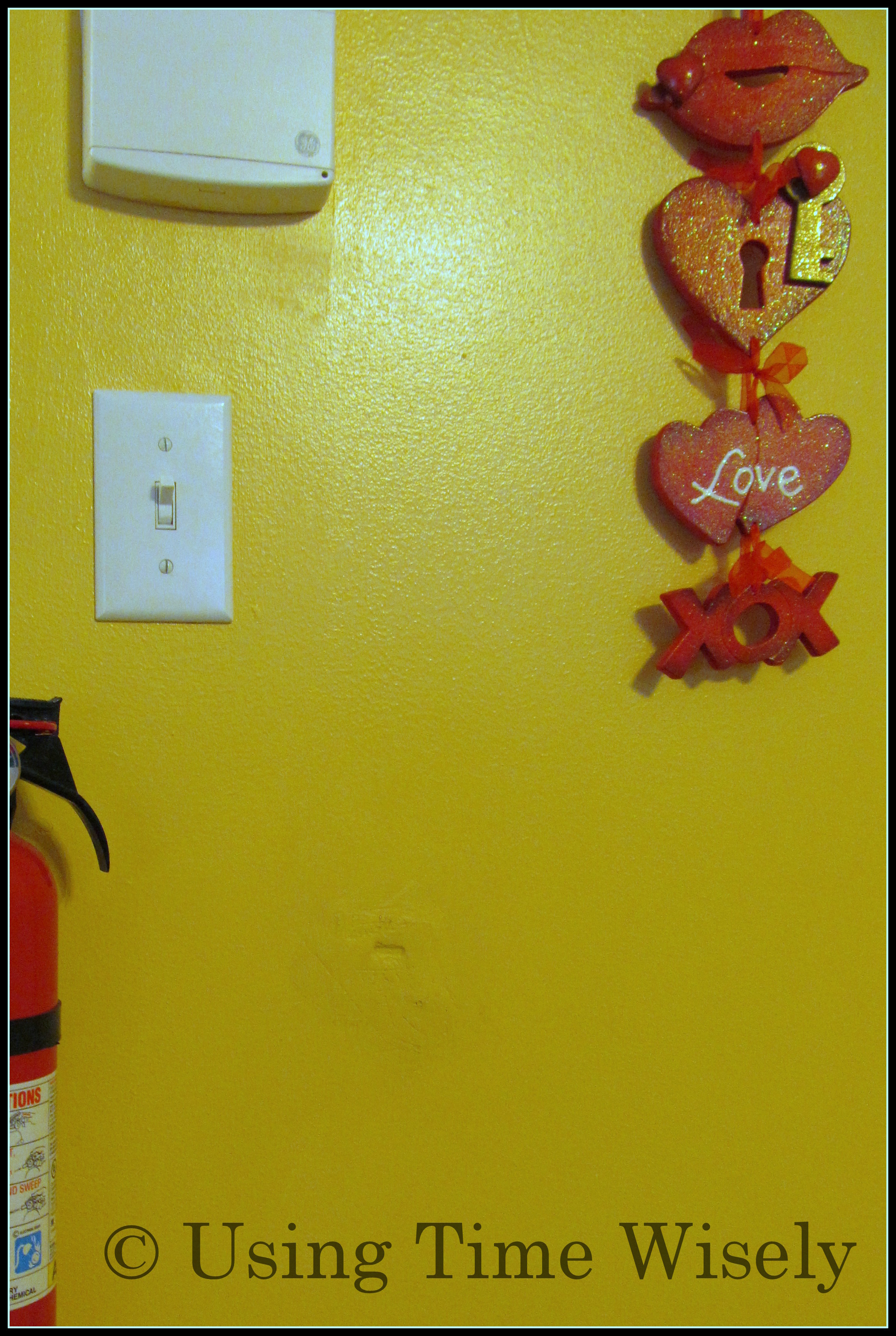
Patched hole in the wall

Though we have installed a door stop at the top of the door, the door still bangs into the wall. A hole has already been patched, so I constantly hear myself telling my children, “Please open the door carefully.”

Realizing that this annoyance probably had an easy fix, I did a quick Internet search and found a door bumper. So, I added a door bumper to my on-going list of items needed at the store.

Current Solution

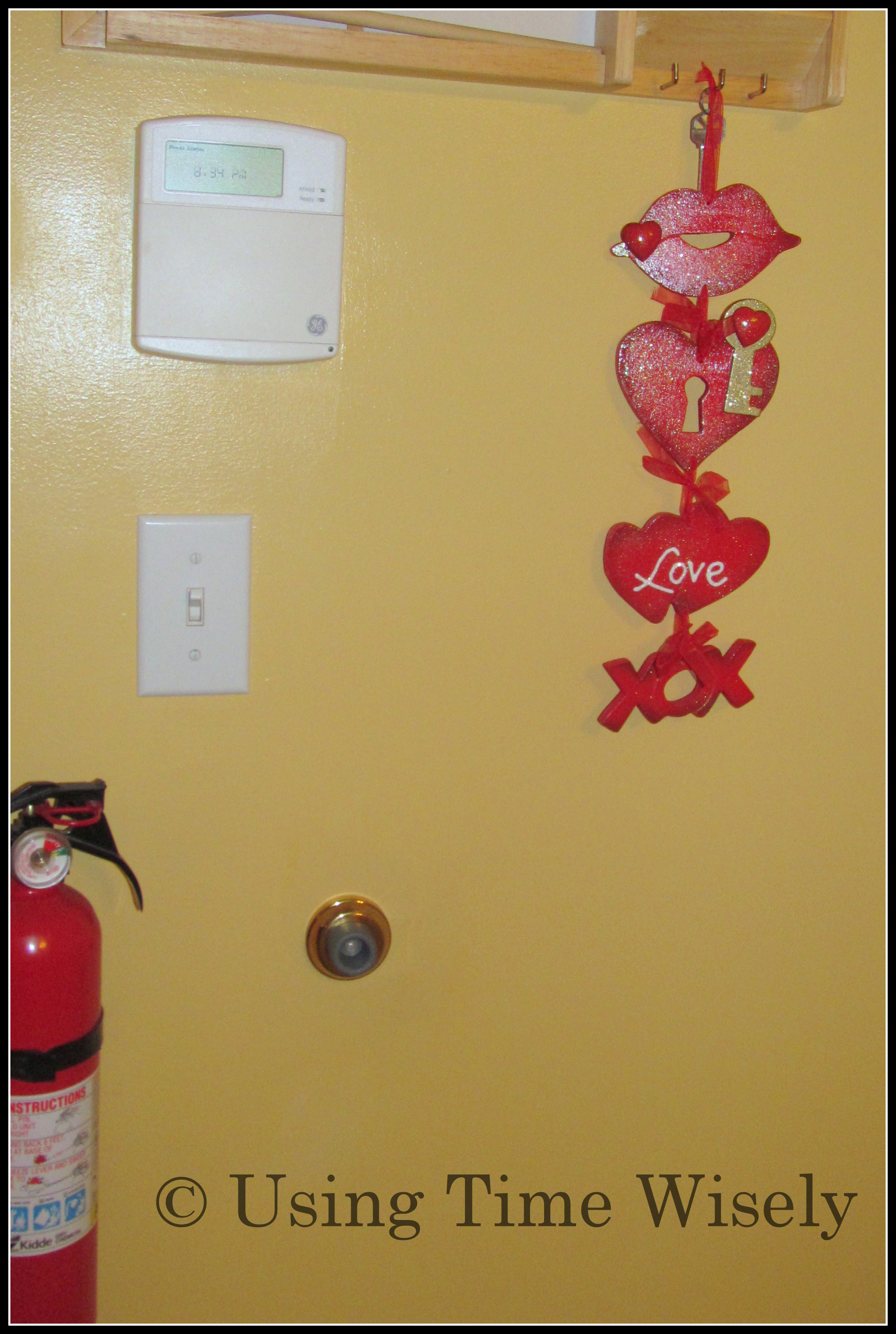
On our next trip to Home Depot for the Kids’ Workshop, we purchased a door bumper for less than $5. Paul installed it within 5 minutes, and now the door swings open and hits the door bumper.

No longer do I need to remind the kids to “open the door carefully” as the door lock will not embed in our wall but in the door bumper. 😀

Solving this little annoyance continues to save me time each day. Without constantly checking the wall for a hole when we get inside, I just walk in and unload. I know that the door bumper is doing its job in keeping my wall safe from my children slamming open the door.

Taking care of annoyances is an investment of my time. The $5 cost to fix our garage door issue was worth every penny. In using time wisely, investing in fixing your annoyances is worth saving your nerves. Happy solving!

Question: Have you noticed any annoyances in your household?

Filed Under: Household, Maintaining Tagged With: annoyances

Annoyances: Washing Machine Lid Catch – Part 3 of 4

March 18, 2013 by Tracy

Annoyances: Washing machine lid catchFinding that little annoyances take up valuable minutes in my day, I jot down any items needed to fix the problem. As I prepare for shopping, I will look for deals and snag those items.

In addressing the annoyances, I focus on the next thing without the distractions of our swords and batons and our garage door.

The next annoyance we fixed was our washing machine lid catch – a little plastic insert that keeps the machine progressing through the cycles.

Part 3: Washing Machine Lid Catch

Losing our Washing Machine Lid Catch

As we near the ten year mark being in our home, some of the appliances are acting out. Saving for replacements, we are adjusting to the little annoyances nine-year-old appliances make.

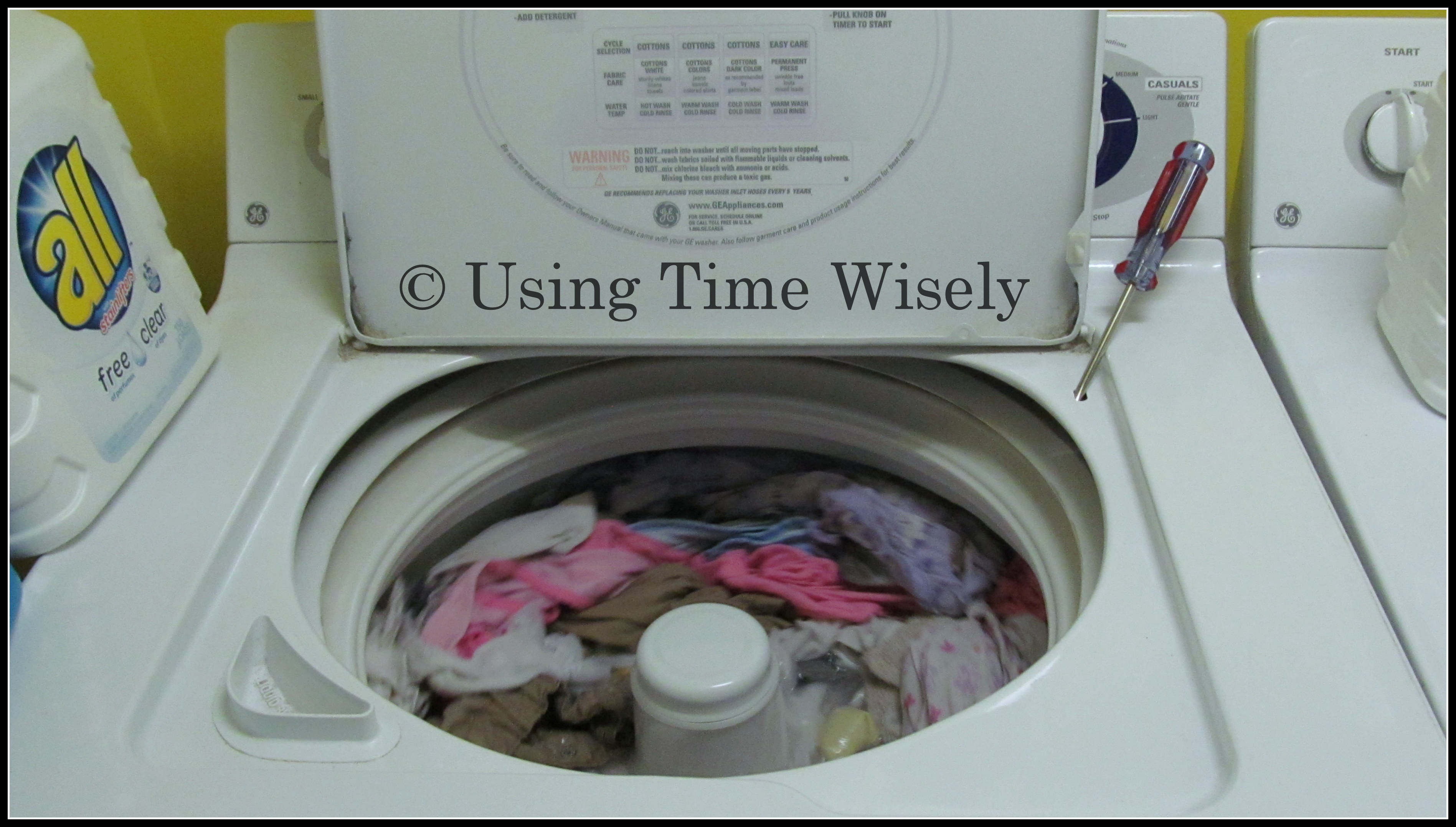
One such annoyance occurred when washing a load of towels. During the wash cycle the agitator vibrated the little plastic lid catch off its placement.

Upon hearing the agitator stop, I went to investigate. As I opened the lid, I watched the little white plastic part ping off the side of the drum and heard the ting-ting-ting sound as it fell inside the washing machine case outside of the drum.

Letting out an “Oh, no,” I ended up holding my finger in the compartment for the next 15 minutes until that load finished. Yes, my finger was sore. Needing another load done, I chose to place a screwdriver into the slot for the next load.

Though it worked, I had to adjust the screwdriver a few times as it would vibrate out. Keeping an eye on the laundry was not on my schedule for the day, but I was thankful that the washing machine was still working with less-than-ideal equipment.

Finding our Washing Machine Lid Catch

Putting the remaining loads of laundry on hold until Paul, my knight in shining armor, came home, I accomplished other tasks. When Paul arrived home, he took the case off the washing machine.

Using a flashlight, we located the plastic lid catch. Paul then worked hard to slip that piece onto the metal form. Once the part was back in place, he returned the washing machine case to its position. Ta Da! Our annoyance was fixed saving us money, energy, and time.

Not planning for this interruption to occur, I adjusted as needed to get the task done. Keeping the screwdriver digging into the mechanism could have damaged those prongs with constant use. Had we ignored the issue, we might have needed to purchase new parts or another washing machine.

Taking the half hour to address this annoyance resulted in our washing machine working at maximum performance. I still check the washing machine lid catch periodically for any movement or shifting from side to side. Thus far, all is well.

In using time wisely, I am addressing annoyances around our home. Next week, I will share my last annoyance in this series – though I have more little issues to address throughout our home. Happy fixing!

Question: What annoyance have you solved with a quick fix?

Filed Under: Household, Maintaining Tagged With: annoyances

Annoyances: Towel Ring – Part 4 of 4

March 25, 2013 by Tracy

Annoyances: Towel Ring - Part 4 of 4Just fixing the little annoyances in our home makes me smile as I pass the finished products. Since creating a space for our swords and batons, I have not found one of them on the floor.

Also, I no longer need to remind my children not to slam the garage door open as the door bumper softens the blow to our wall.

Our washer is working great without the screwdriver holding down the prong as Paul reset the washing machine lid catch.

The last annoyance I will share in this series is our half bathroom’s towel ring.

Part 4: Towel Ring

Broken Towel Ring

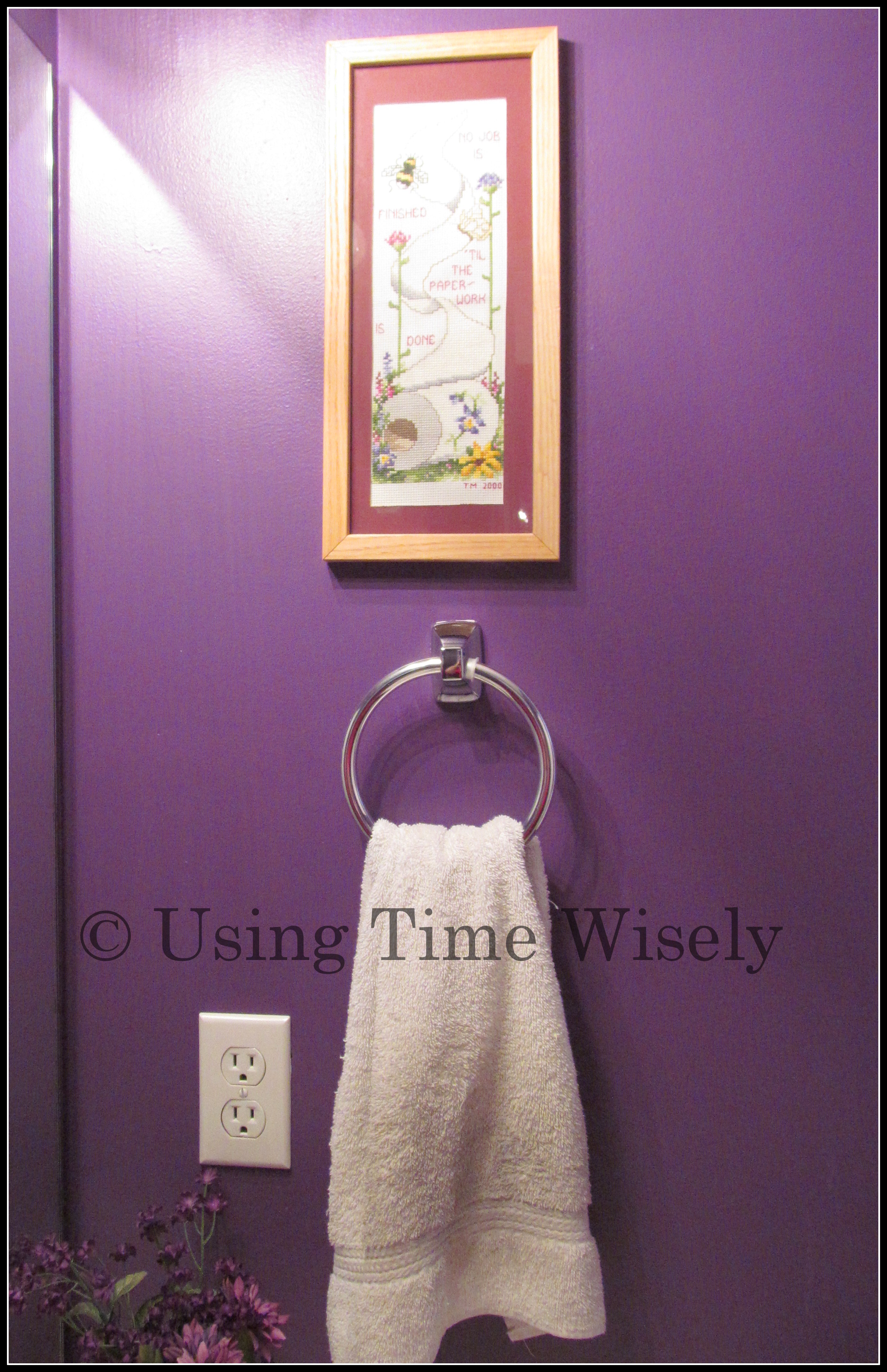
Among the many pulls on the towel ring in our half bathroom to get the towel down, the little plastic spacers separated from the base. With the ring spinning, the towel kept falling on the counter or in the sink. Having to keep hanging up the towel or changing towels due to wetness, I needed a new towel ring.

New Towel Ring

I added a towel ring to my list of items to get at the store. While shopping at Wal-mart, I stopped by the bathroom accessories and found a similar towel ring.

Spending around $6, I bought it. Paul replaced the old with the new towel ring, and now our towel stays on the ring.

Already noticing that the plastic holds in this new towel ring slide, I push them back at least once a week. This annoyance may need some super glue in the future, but the immediate problem of the towel staying on the ring is solved.

In using time wisely to address these small annoyances, our home looks and functions better than before fixing these problems. Though I still need to order a part for our oven drawer, replace a large battery, and install some lights, I have made progress and will continue to meet annoyances head on to save money, energy, and time.

As you find those annoyances within your home, and we all have them, finding a solution is worthy of your time. Keep making progress in maintaining your home one step at a time. Happy solution finding!

Question: What annoyances will you address in your home this spring?

Filed Under: Household, Maintaining Tagged With: annoyances

« Previous Page
Next Page »

Welcome to Using Time Wisely!


Presenting organizational tips and tricks to save you money, energy, and time. Enjoy the journey of Using Time Wisely.

Looking for something?

Copyright © 2026 · Lifestyle Pro Theme on Genesis Framework · WordPress · Log in