
• Home
  • About Tracy
  • Contact Me

Using Time Wisely

Organized to save money, energy, and time

  • Email
  • Facebook
  • Pinterest
  • RSS
  • Twitter
  • YouTube
  • Document Organization
    • Overview
    • Box 1
      • Credit Report/Cards
        • Credit Reports
          • Credit Updates
          • Credit Scores
        • Credit Cards
      • Personal
      • Home Ownership
      • Vehicles
    • Box 2
      • Life Insurance
      • Major Medical
      • Tax-Favored Programs
      • Prescriptions
      • Dental & Vision
      • Special Health Policies
      • Short-term Disability
      • Long-term Disability
      • Personal Insurance
    • Box 3
      • Social Security Documents
      • Retirement
      • Investments
      • Estate Planning
      • Tax Records
  • Household
    • Cleaning
    • Maintaining
    • Organizing
    • Scheduling
      • Laundry
  • Event Planning
    • Assisting
    • Attending
    • Coordinating
      • Birthday Party
      • Christmas
      • Dinner Party
      • Fall Festival
      • Field Trip
      • Lemonade Stand
      • Thanksgiving
    • Learning
    • Preparing
    • Serving
  • Miscellaneous
    • Communication
      • Customer Service
      • E-mail
      • RSS Feed Reader
    • Goals
    • Organization
    • Time Management
      • To Do List
  • Food
    • Food Prep
    • Grocery Shopping
      • Lists
      • Pricing
    • Menu Planning
    • Recipes
    • Stockpile
  • Family Activities
    • Going Out
      • Free Outings
      • Inexpensive Outings
      • Summer
    • Rewards
      • Good Grades
      • Reading
      • Summer Reading
    • Staying at Home
  • Stretching Your Dollars
    • Daily Deals
      • Groupon
      • LivingSocial
    • Drugstores
      • CVS
    • Gas Prices
    • Gifts
    • On-line Shopping
    • Pictures
    • Products
    • Restaurants
    • School Items
    • Tips
You are here: Home / Archives for Stretching Your Dollars

Fuelperks!: Saving $17 at the Gas Pump without Coupons

April 14, 2012 by Tracy

Fuelperks: Gas Promotion

Photograph Credit: fuelperks!

With gas prices rising again, I value the points I earn towards fuelperks! by shopping at Bi-Lo. The fuelperks! program allows us to  stretch our dollars as we fill up our vehicles.

Since the gas stations that accept the fuelperks! rewards tend to add a $.03 to $.05 fee per gallon for using a credit card, I choose to allow our points to build until the rewards are about to expire.

During March, I needed to use our fuelperks! before losing $.20. So, I waited until the van’s gas gauge indicator light dinged at me. Then I took our empty gas can, which we use to fill the lawn mower, and I headed to the gas station to redeem our fuelperks!.

After swiping my loyalty card and credit card, I filled the van’s gas tank and then pumped the remaining 3-4 gallons into our gas container. The total for our 20 gallons of gas came to $51.98 or $2.59 per gallon – a savings of $17! Our fuelperks! discount was $.85 off per gallon! By saving up our rewards, we continue using time wisely to stretch our dollars while filling up at the gas pump.

Click on Fuelperks!: Lowering Gas Prices at the Pump – Part 1 and Fuelperks!: Lowering Gas Prices at the Pump – Part 2 for more information on the fuelperks! program. Another helpful post is the Krazy Coupon Lady’s 5 Strategies for Saving on Gas.

As we continue to drive from place to place, consider ways you can stretch your dollars to gas up your vehicle while using time wisely. Happy savings!

Question: What gas programs are available to you?
Filed Under: Gas Prices, Stretching Your Dollars Tagged With: fuelperks

Free Federal Tax Preparation: 5 Steps to Filing your Tax Return

April 7, 2012 by Tracy

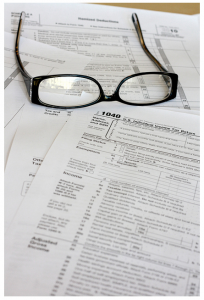
The following information is not professional tax advice. I am sharing how our family files our taxes without paying a professional hundreds of dollars for tax preparation. Our taxes are not complicated, and we choose to use an on-line service while using time wisely.

Photograph Credit: Flickr (MoneyBlogNewz)

Filing our taxes last weekend took longer than I anticipated. Most years the filing takes between 1-2 hours total. This year was different since I needed to research the filing of Using Time Wisely along with our personal taxes.

After about 4-6 hours, I authorized the electronic filing and celebrated with a warm bath and Facebook time. 🙂

If you choose to file your own taxes but want the help of a tax service, then here’s my 5-step plan to go from pile of paperwork to filed taxes.

STEP ONE: Gather your Documents

Throughout the year, I toss all tax documents inside a labeled file folder. At tax time, I get the folder and begin. If you do not have a file or are not sure what documents you need, then use my list of documents I gather to start:

Income

    1. W-2 forms (from employers)
    2. IRS notices (1098, 1099R, etc.)
    3. Refund from 2010 state taxes
    4. Retirement documentation (income from conversions of a qualifying retirement account)
    5. Business accounting documentation

Deductions

    1. Mortgage interest forms
    2. Line of Credit interest forms
    3. Property tax receipts (vehicles, home, etc.)
    4. Charitable donations

 Other

    1. Use tax receipts (items purchased via Internet without paying sales tax)
    2. Copy of 2010 federal tax return

These are the documents I gather. You may need more documentation (i.e., medical receipts, childcare expenses, tax preparation fees, etc.) to file your 2011 taxes.

STEP TWO: Choose a Tax Service

In an effort to save my family money, I choose to prepare our taxes. Up until last year, I filed our taxes by hand. Last year, I tried TaxAct and loved it! The federal filing for us was free, and I paid $14.95 for our state filing.

Paying less than $20 for the same tax preparations that a professional would charge $250 was beneficial to our family while stretching our dollars.

This year, TaxAct sent me a promotion for the deluxe package which included the federal and state tax filing for $13.95 which I purchased. Having used the on-line service last year, I was familiar with the steps, and some of our information transferred to our 2011 return. Yeah! This service continues to save me money, energy, and time!

If you are looking for an on-line service, you may qualify for free federal tax preparation through these available companies. Though the federal filing is free, these companies charge a fee for the state filing.

STEP THREE: Search for Promotional Codes

Once you decide which company you prefer, search for a promotional code through your favorite search engine (e.g., Swagbucks, Google, etc.). To search, type the “[name of the business] promotional code” (e.g., “TaxAct promotional code”) into the search box.

If you find none, try the company’s web site, scan the banners and advertisements on the home page, and check the pricing page.  You might be surprised at the savings found with a quick search.

STEP FOUR: Register at your Chosen Company

If you are filing with a new-to-you company, you will need to set up your account. This process takes a few minutes.

Note: Remember to record your user name and password to get access to your account after periods of inactivity and next year.

TaxAct timed out 3-4 times during my preparation while I researched, added our receipts, and checked forms.

STEP FIVE: Add Amounts, Review, and File

Add Amounts

Once you register, you are ready to begin. The service will ask you questions and offer blocks for you to add the amounts from your documentation. With your documents gathered, this process goes quickly.

Review

When all information gets entered, review and run the alerts. The service will alert you to any inconsistencies, missing information, or problems.

File

Once you have reviewed your federal return and verified the information, you can choose to e-file or mail your return. You will want to save a copy of your return. I choose to save it to my computer and print a hardcopy for our records.

Once filed, you should receive a confirmation notice. I print this notice for our records.

State Tax Filing

For our state return, TaxAct transferred our federal return information to our state forms. Within 15 minutes, I added two other amounts, reviewed, and filed our state taxes. (Insert happy dance!)

Though there are tons of other things you would rather do than file taxes, you can gather your documents, choose a tax service, search for promotional codes, register your account, and add amounts, review, and file your taxes while using time wisely.

You still have a little over a week, but why wait. Knock out those taxes, cross another item off your to-do list, and save your family $200 or more by filing your taxes through a reputable tax service. You can do it! Just start at step one.  Happy savings!

Question: How do you file your taxes?

Filed Under: Stretching Your Dollars, Products Tagged With: taxes

Register Review: CVS – March 26, 2012 Edition

March 31, 2012 by Tracy

Your eyes are not deceiving you. This is another installment of Register Review, but from a drugstore perspective.

With most of our household items fully stocked, the only way drugstores can lure me into their doors is by offering a great deal on diapers or holiday items, or if my rewards are about to expire.

This week, CVS won me over. I shopped early in the week to snag these 12 items for $0.75 in 2 transactions. Yep, less than a dollar for 12 items. Want to see how?

When I entered the store, I scanned my CVS Extra Care Card at the red coupon machine. The machine ejected coupons. My children scanned the card again which resulted in more coupons. On the third scan, a message indicated that more coupons would be available tomorrow.

The coupons that print from the red coupon machine are CVS store coupons, which you can combined with manufacturer coupons. I received a CVS coupon for $1 off 2 seasonal M&Ms packages, and another coupon for $.25 off any 2 Mars Easter eggs. Knowing I was purchasing these two items, I added them to my CVS envelope to use at checkout.

Transaction #1

Allowed cashier to scan my Extra Care Card and my Green Bag Tag (which earns $1 in Extra Bucks for every 4th scan – only one scan allowed per day)

Purchased 2 single Snicker Easter Eggs – earn $1 in Extra Bucks (store credit) when you buy 2 Mars Easter Eggs or Bunny Singles for $0.50 each (limit of 2 deals).

Subtotal: $1

Used CVS $0.25 off coupon

Total: $0.75 + $0 tax

Paid the $0.75 and received $1 in Extra Bucks (a coupon that prints at the bottom of my receipt)

*ahem* 2 of the Snicker eggs did not make the photograph 😉

Transaction #2

Allowed cashier to scan my Extra Care Card before ringing merchandise

Purchased 2 single Snicker Easter Eggs – earn $1 in Extra Bucks when you buy 2 Mars Easter Eggs or Bunny Singles for $0.50 each (second deal – limit reached)

1 bag of Gold Emblem Jelly Beans – earn $.99 in Extra Bucks when you buy these jelly beans for $.99 (limit 1)

1 Colgate 360 Toothbrush – earn $2 in Extra Bucks when one purchases this toothbrush for $2.99 (limit 2)

6 bags of M&Ms – $3, but buy one get one free (limit of 6). My store was already out of the seasonal peanut and almond varieties, so they substituted the non-seasonal version for my sale.

Subtotal: $13.98

Used the following coupons:

CVS $1 off coupon for 2 bags of seasonal M&M’s

4 – Manufacturer’s coupons for $1 off any 2 Mars Easter Items

1 – Manufacturer’s coupon for $1 off Colgate 360 toothbrush

Used the following Extra Bucks

$5.99 from a previous week

$1 from an earlier week’s green bag tag usage

$1 from Transaction #1 – rounded down to $.99

Total: $0 with $0 tax, and received Extra Bucks for $1 (Snickers eggs), $2 (toothbrush), and $0.99 (jelly beans).

For a total of $0.75, I purchased $33.31 of merchandise which is a 97.7% savings, and I have $3.99 in Extra Bucks to spend at CVS by April 24, 2012.

Taking the time to learn the drugstore game was time well spent. By matching sales, store coupons, and manufacturer coupons, the savings multiply. Long before I began seeing the deep discounts at the grocery store, I practiced and refined the drugstore game. I concentrated on CVS for a few months.

When I understood and had successful trips, I branched out to learn Walgreens. After nailing down the Walgreens system which is different from CVS, I learned Rite Aid which is unique from CVS and Walgreens.

Each store is different and learning the tips and tricks takes time, but for my family, it is using time wisely. Hope you have enjoyed these register reward breakdowns.

The sales in this post were for this week. However, the M&M and Snicker eggs were part of a 3-day sale that ended on Tuesday. The toothbrush deal will continue through today. If your store is out, request a rain check. Happy savings!

Question: Do you shop at CVS? Why or why not?

Filed Under: CVS, Drugstores, Stretching Your Dollars Tagged With: CVS

Publix: Free Medications Program

March 24, 2012 by Tracy

Photograph Credit: Flickr (Daniel Oines)

My Publix not only supplies food for my family, but they also provide certain medications for free.

When my recent cough lasted over two weeks, I decided to see my doctor. She examined me and ruled out an ear infection. However, my congestion needed a fast-acting medication since Mucinex was not working.

Since I get ear infections easily and the congestion sometimes results in an ear infection, my doctor prescribed a decongestant and a 10-day supply of Amoxicillin.

On my way home, the girls and I stopped by our local Publix (for a cookie and) to fill the antibiotic. My pharmacist accepted my Amoxicillin prescription and filled it at no cost to me.

This scenario occurs at least once a year in my household. I have filled many antibiotic prescriptions for my family members at Publix pharmacy. All at no cost to me.

In stretching your dollars, the Publix Pharmacy Free Medications Program may help. Besides certain antibiotics, this program also offers free Lisinopril! (usually for high blood pressure) and Metformin (usually for diabetes). For more information on this fantastic program, visit Publix’s Free Medications Page.

As I care for my entire family’s health, Publix helps me in stretching our dollars while getting the medications to keep us healthy. In using time wisely, you can benefit as well. Just drop off a participating prescription at your Publix with no forms, no limits, and no cost. Happy savings!

Filed Under: Services, Stretching Your Dollars Tagged With: Medications

Our $23.98 Camera Replacement – valued at $249

March 17, 2012 by Tracy

Photograph Credit: Amazon.com

Oh, the value of our $43 personal articles insurance policy! Paul and I have insured my wedding rings and our 2 cameras on this insurance policy. Our cost is $43 per year to fully insure these items and worth every penny.

The Incident

When the girls and I attended a Valentine’s Day party, I was taking pictures of the exchange of cards. One of the attendees backed into my insured point-and-shoot camera and jammed the lens.

At first, I was upset. Not because of the accident, but because here was a fantastic photo opportunity, and my camera would not work. Realizing that I would need a new camera, I did not panic at the cost because the accident was a covered incident. By using time wisely and insuring our expensive property, we hold a personal articles policy to protect our budget when accidents occur.

Replacing our Camera

Since the camera would not take pictures, I put it away. Later, I called our insurance agent and explained the situation. Our agent looked at our policy and determined that he could reimburse us up to $160 for a replacement camera.

With a $160 budget, my husband went looking and found a great camera, retailing for $249, on sale for $183.98 with a case and memory card. Realizing that this camera was a great product, on sale, and we would receive reimbursement of $160, we purchased the camera.

Making a Claim

Upon receipt, we worked with the camera to make sure it worked properly. When it did, we took our broken camera and receipt for the new camera to our insurance agent.

The agent confirmed that the old camera was the insured camera model and wrote us a check for $160 (the retail value of our old, broken camera). He then deleted the old camera from our policy and added our new camera with a replacement value of $249 (listed on the receipt).

Though we paid $183.98 for our new camera, we received a $160 check bringing our camera replacement cost down to $23.98 which included a camera case and memory card. Our personal articles policy covered the accident and allowed us to upgrade to a new model without breaking our budget.

If you have valuable cameras, electronics, jewelry, or collections (i.e., coins, stamps, etc.), you might consider a personal articles policy. A little research and protection now can save you money, energy, and time in the future. In using time wisely, a personal articles policy can help in stretching your dollars. I know, because it saved us $160. Happy savings!

Question:  What items do you or would you add to your personal articles policy?

Filed Under: Stretching Your Dollars, Tips Tagged With: insurance

« Previous Page
Next Page »

Welcome to Using Time Wisely!


Presenting organizational tips and tricks to save you money, energy, and time.

To access 5 Ways to Using Time Wisely Today, click "like" on my facebook page and join in on the journey of Using Time Wisely.

Looking for something?

Email Newsletter

Sign up to receive email updates and to hear what's going on with us!

Copyright © 2026 · Lifestyle Pro Theme on Genesis Framework · WordPress · Log in